


Typography – Print
Table of Contents
The typography rules outlined here apply to all printed materials.
Primary typeface – Helvetica Now
Helvetica Now is a standardised typeface. It is timeless, clear and highly legible. The typeface is a key component of the overall visual system. The consistent use of recurring typographic elements is just as important as the uniform formatting of the address.
The Helvetica Now typeface specified here is a redesigned version of Helvetica Neue and has been fundamentally optimised in terms of its appearance. It is now available in three variants, each optimised for specific applications: Display, Text and Micro.
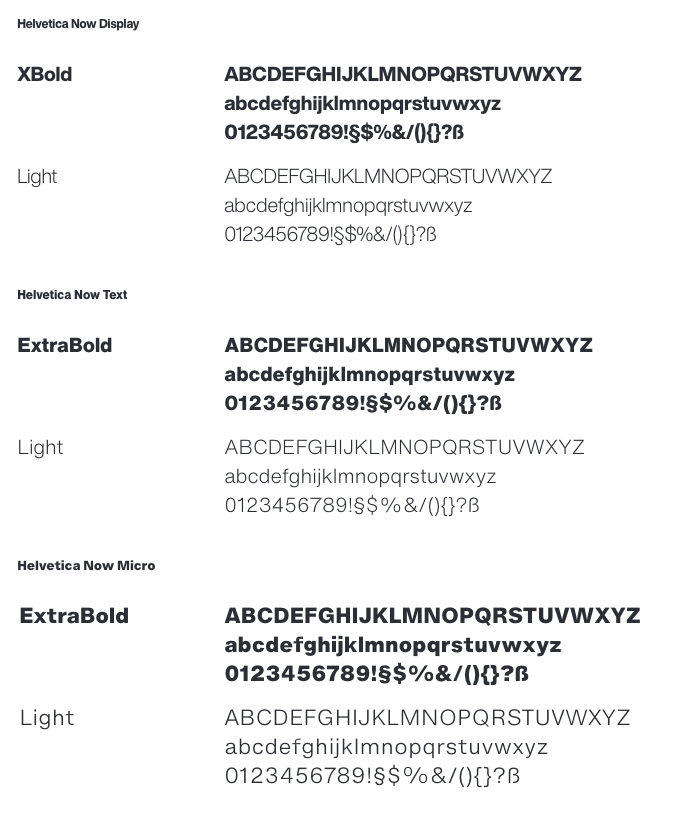
- Helvetica Now Display: For large type sizes and headlines.
- Helvetica Now Text: For body copy.
- Helvetica Now Micro: For small text blocks below a font size of 7.7 pt.
The recommended font size for DIN A4 using Helvetica Now Text is 7.7 pt (8 pt in Microsoft Office applications) with 1.5 line spacing.
Use and selection of font weights
- The standard font weight is Light.
- For headings, the ExtraBold and Light weights are used.
- For highlighted words within a block of text, the Bold weight is used.
- For highlighted standalone lines, the ExtraBold weight is used.
Typefaces for tables – Helvetica Now Condensed
The Helvetica Now Condensed typeface specified here is used wherever space is limited, for example in body text and table headings in technical manuals. For table body text, the Light or Bold weights may be used; for headings, the Light or ExtraBold weights are used.
Helvetica Now Display Cn:NOT USED- Helvetica Now Text Cn: For tables.
Helvetica Now Micro Cn:NOT USED
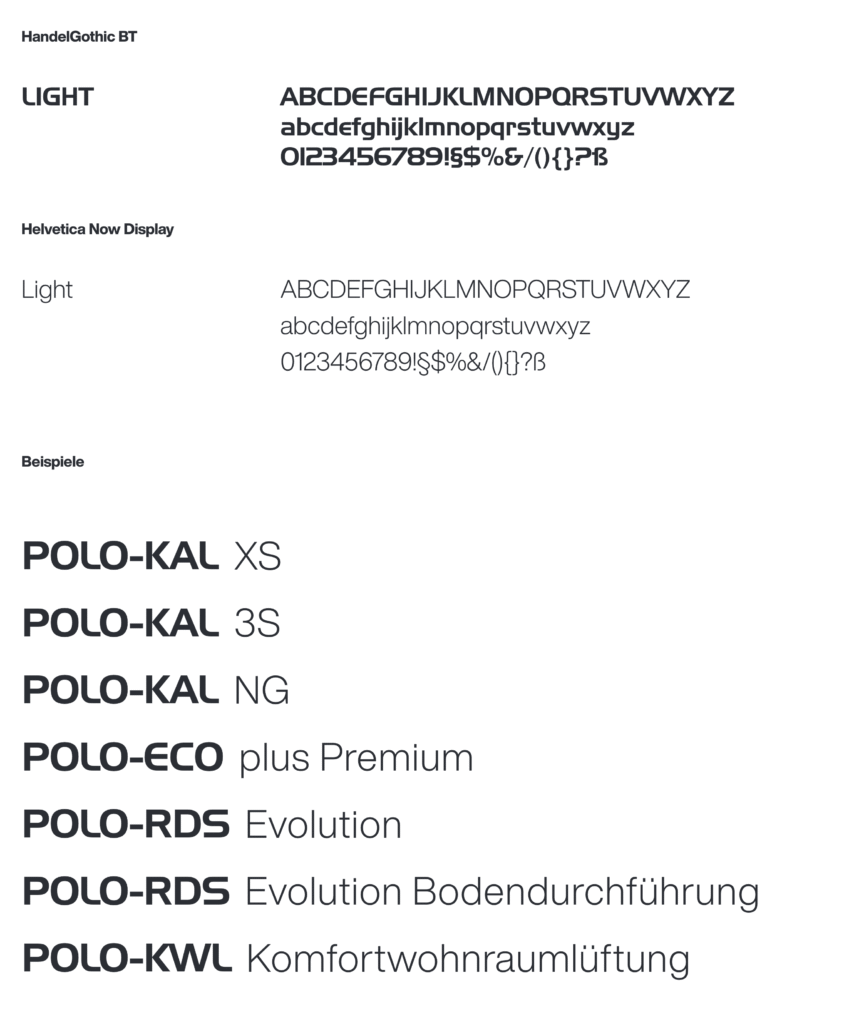
Typefaces for product names – HandelGothic BT & Helvetica Now
HandelGothic BT is used for product families, while Helvetica Now Display Light is used for product names.
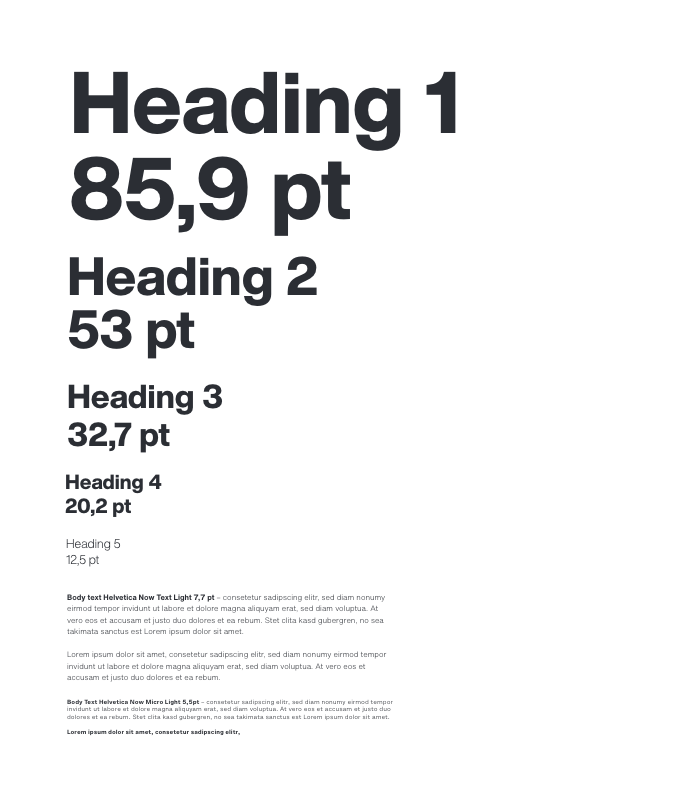
Typography scale / font sizes
Definition of body text size
The minimum body text size for DIN A4 and smaller formats using Helvetica Now Text Light is 7.7 pt with one‑and‑a‑half line spacing (11.5 pt).
The baseline grid height is based on the line spacing of the body text (with a font size of 7.7 pt, this corresponds to 11.5 pt).
These values represent minimum sizes. Depending on the medium, the body text size may be increased; however, the proportional relationship to the headings must be maintained.
Headings should preferably be set in ExtraBold, but may also be set in Light or used in combination.
Font Size | Line Spacing | Font | ||
|---|---|---|---|---|
Heading 1 | 85,9 | 85,9 | 1x | Helvetica Now Display |
Heading 2 | 53 | 53 | 1x | Helvetica Now Display |
Heading 3 | 32,7 | 37,6 | 1.15x | Helvetica Now Display |
Heading 4 | 20,2 | 23,2 | 1.15x | Helvetica Now Display |
Heading 5 | 12,5 | 16,3 | 1.3x | Helvetica Now Display |
Body Text Font | 7,7 | 11,5 | 1.5x | Helvetica Now Text |
Body Text Small | 5,5 | 8,3 | 1.5x | Helvetica Now Micro |
Category Font | 7,7 | 11,5 | 1.5x | Helvetica Now Text |
Product Name | 12,5 | 12,5 | 1x | Handel Gothic / Helvetica Now Display |
Address Block/Captions | 5 | 7,5 | 1.5x | Helvetica Now Micro |
Brochure Body Text Font | 8,5 | 12,8 | 1.5x | Helvetica Now Text |
Font size calculator
This Excel file can be used to calculate font sizes based on the selected body text size.